Capacity zones
Capacity zones limit how many robots can be in an area at the same time, for example in a narrow corridor. They work like a traffic light: while the number of robots in the zone is below the limit, robots can enter. Once the limit is reached, the next robots stop at the zone’s entry and wait until another robot leaves.
Create a capacity zone
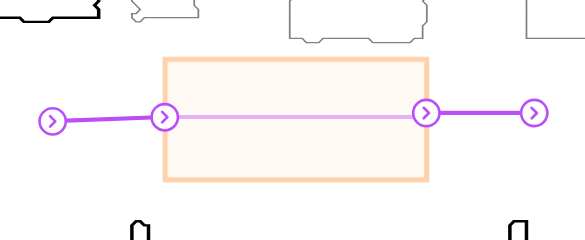
- In the Map editor, click Add zones on map in the side toolbar and choose the Line tool or the Rectangle tool.
- Select Capacity zone as the Type and fill the settings described in Capacity zone settings.
- Click
Create zoneand draw the zone on the map, across the paths it should control.
Where the zone crosses a path, Meili creates an entry and an exit station. Robots stop at the entry station when they have to wait.
To change the settings later, click the zone on the map.
Capacity zone settings
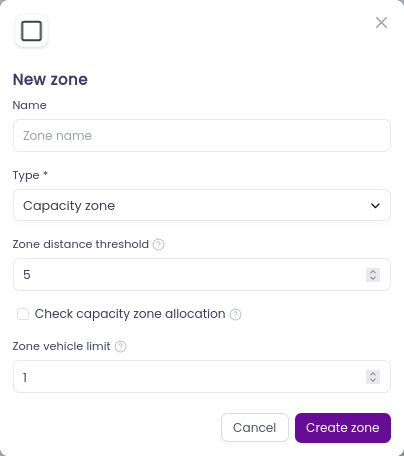
- Zone distance threshold (meters): how far from the zone, in metres, Meili starts checking for other robots heading to it. Robots within this distance compete for a place in the zone.
- Zone vehicle limit: the number of robots that can be inside the zone at the same time.
- Check capacity zone allocation: when checked, Meili checks the limit before it sends the mission to a robot. If the zone is full, the mission waits with the status rerun until there is room. When unchecked, the robot starts its mission and the limit is checked when it reaches the zone’s entry.
If several robots within the threshold distance are heading to the zone, the one whose mission has the highest priority enters first.
How capacity zones work
When a mission’s route passes through a capacity zone, Meili adds a wait for capacity step at the zone’s entry station. This step is handled by Meili and isn’t sent to the robot:
- If there is room in the zone (green light), the step completes straight away and the robot continues.
- If the zone is full (red light), the step stays in progress and the robot waits at the entry station until there is room.
Meili doesn’t pause and resume the robot to make it wait. Instead, it sends the mission to the robot in parts, which gives it finer control over traffic.
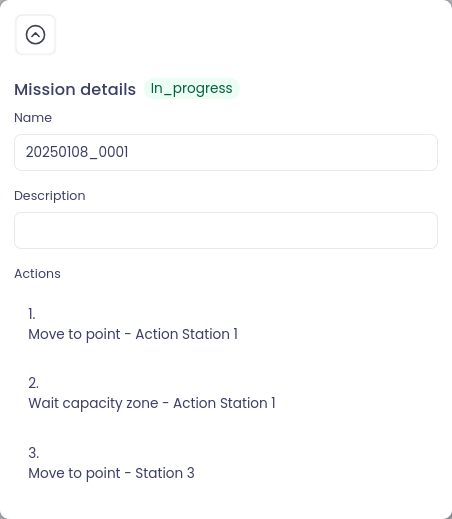
To keep waiting robots from blocking the entry, add a waiting zone next to the capacity zone. To make robots queue in order before they reach the entry, add a buffer zone.
Capacity zone layouts
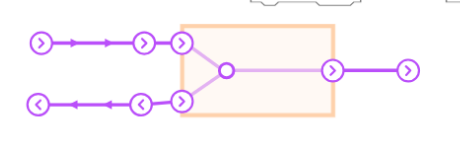
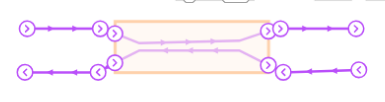
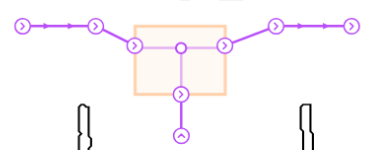
These layouts show common ways to place capacity zones:
For the general steps to add and edit zones, see Zones.