Action presets
An action preset is an action saved together with its settings, such as the station and the values of its variables. Use action presets for actions you add often with the same settings, for example lifting the forks to the second rack level. Instead of filling the same fields every time, you pick the preset.
To open the list, go to Actions inside your team and select the Action presets tab.
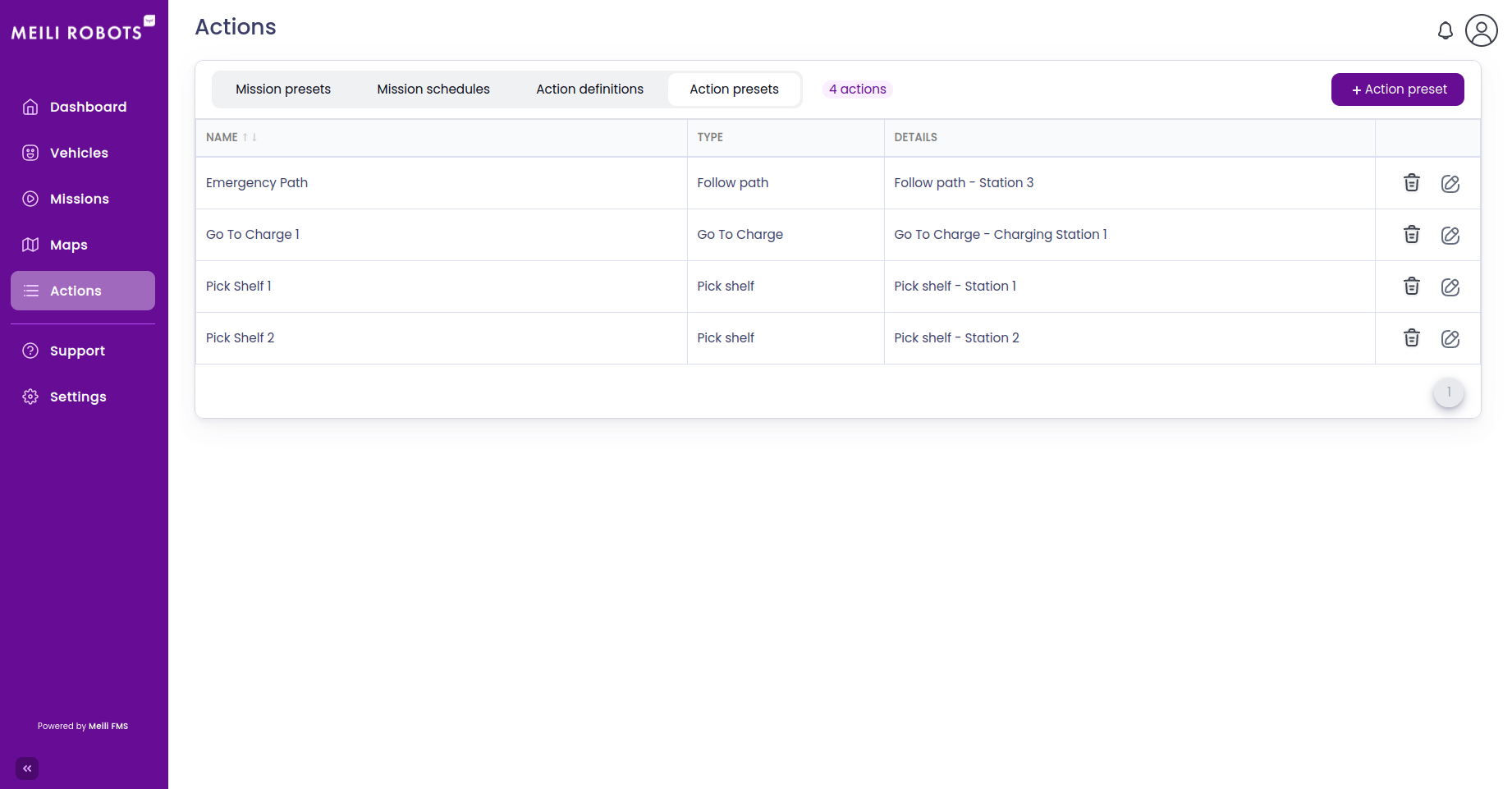
Each row shows the preset’s Name, the action it uses under Type, and a summary under Details.
Create an action preset
- Click
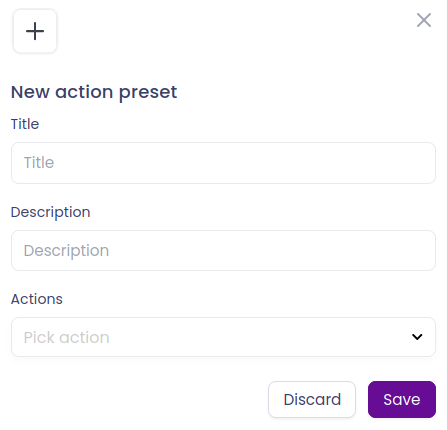
+ Action preset. The New action preset dialog opens. - Fill the form:
- Title: a name that describes the preset, for example Lift to rack level 2.
- Description: what the preset is for.
- Actions: pick the action from the list and fill its fields, such as the station and the values of its variables. An action preset holds one action.
- Click
Save.
Your action presets appear in the list of actions when you create a mission or a mission preset, next to the action definitions.
Edit an action preset
Click the edit icon on the preset’s row, change what you need and click Save.
Delete an action preset
Click the bin icon on the preset’s row and confirm. To delete several presets at once, select them with the checkboxes and click Delete selected.