Manage organisation devices
Add Device Models
Device models are configurations that can be applied to devices within your organisation. Follow the steps below to add a new device model:
-
Click the + Add device model button.
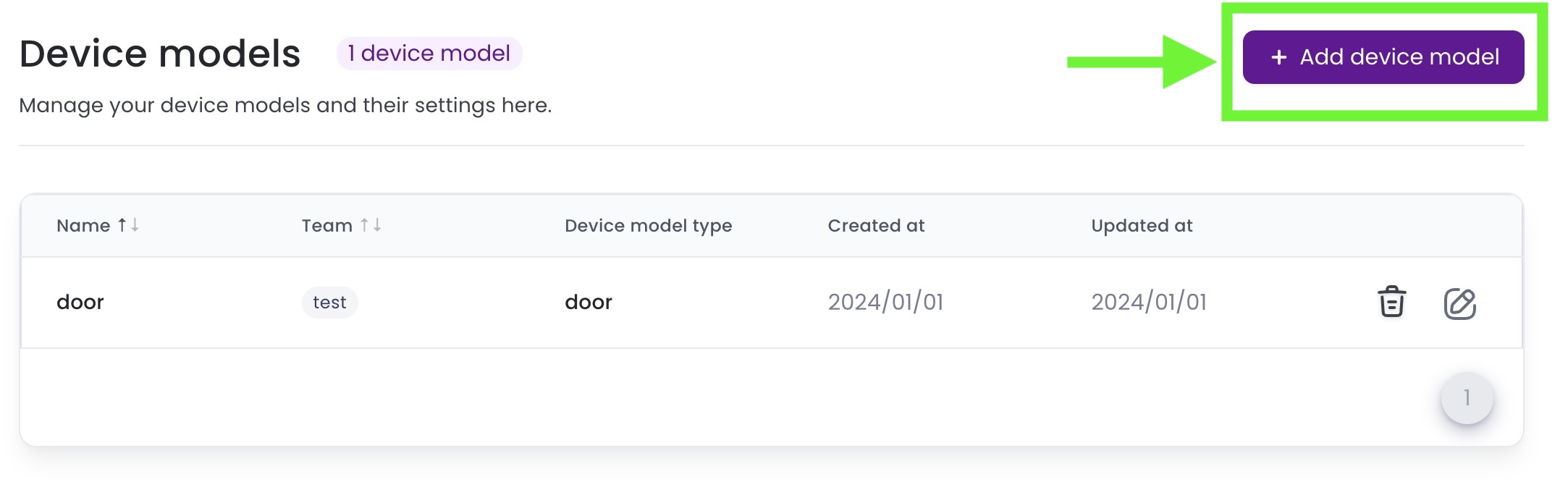
-
Fill in the New device model form:
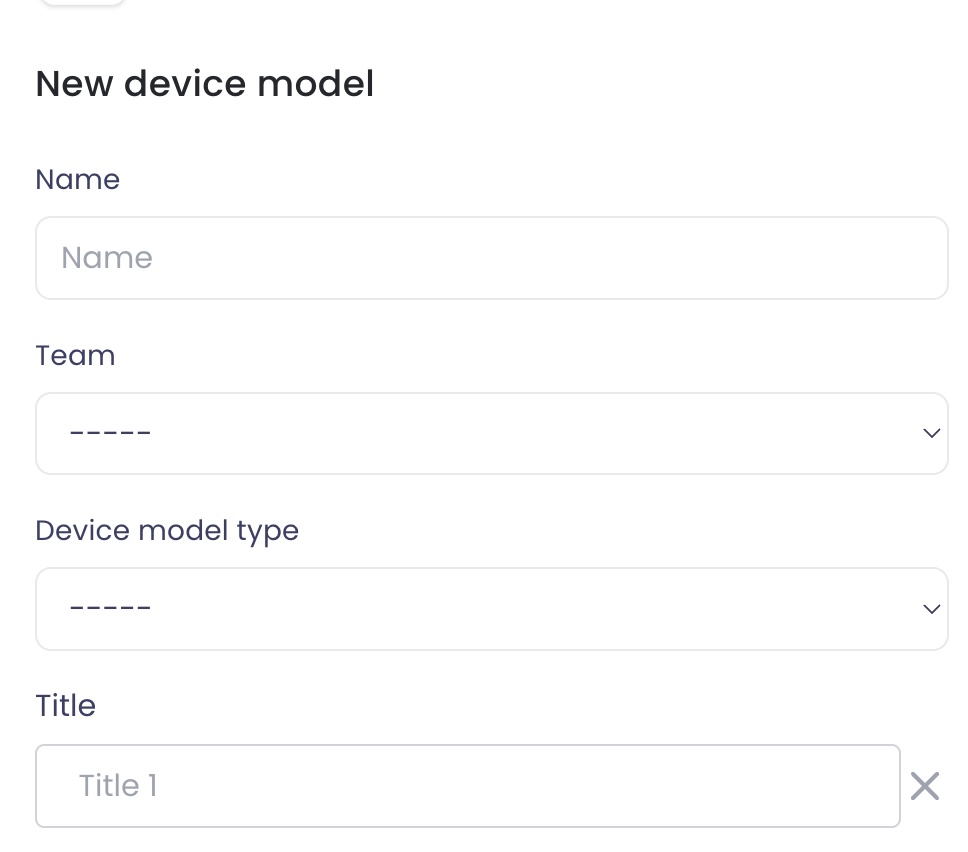
- Input a name for the new device model.
- Select the team it belongs to.
- Choose the type of device model:
- Door
- Switch
- Elevator
- Traffic_light
- Smart_device
- Other_device
- Select a title for the device.
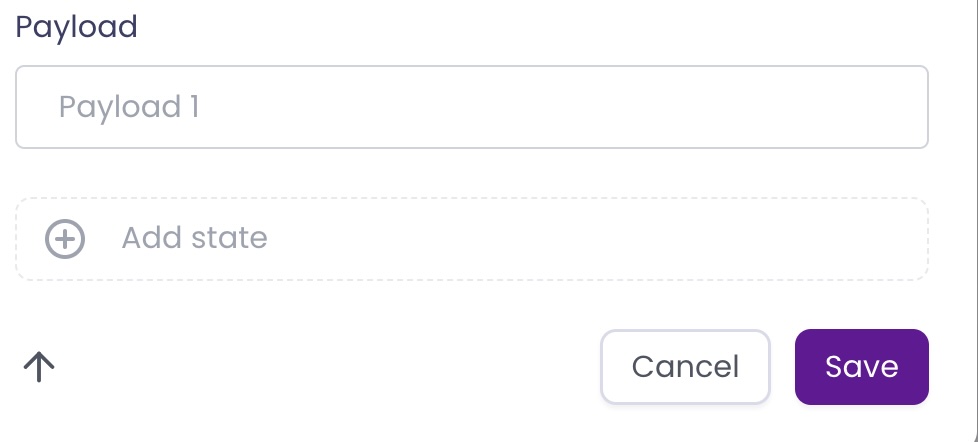
- Define the Payload for the device model, which may include various states of the device.
- Click Add state to add different states for the device model.
-
Review the entered information and click Save to add the device model to your organisation’s list.
This will create a new device model that can be assigned to a fleet within your organisation.