Action definitions
An action definition is a type of action that a robot or an IoT device can carry out, such as Move to point, Wait or Lift pallet. You add actions to missions and mission presets from these definitions.
To open the list, go to Actions inside your team and select the Action definitions tab.
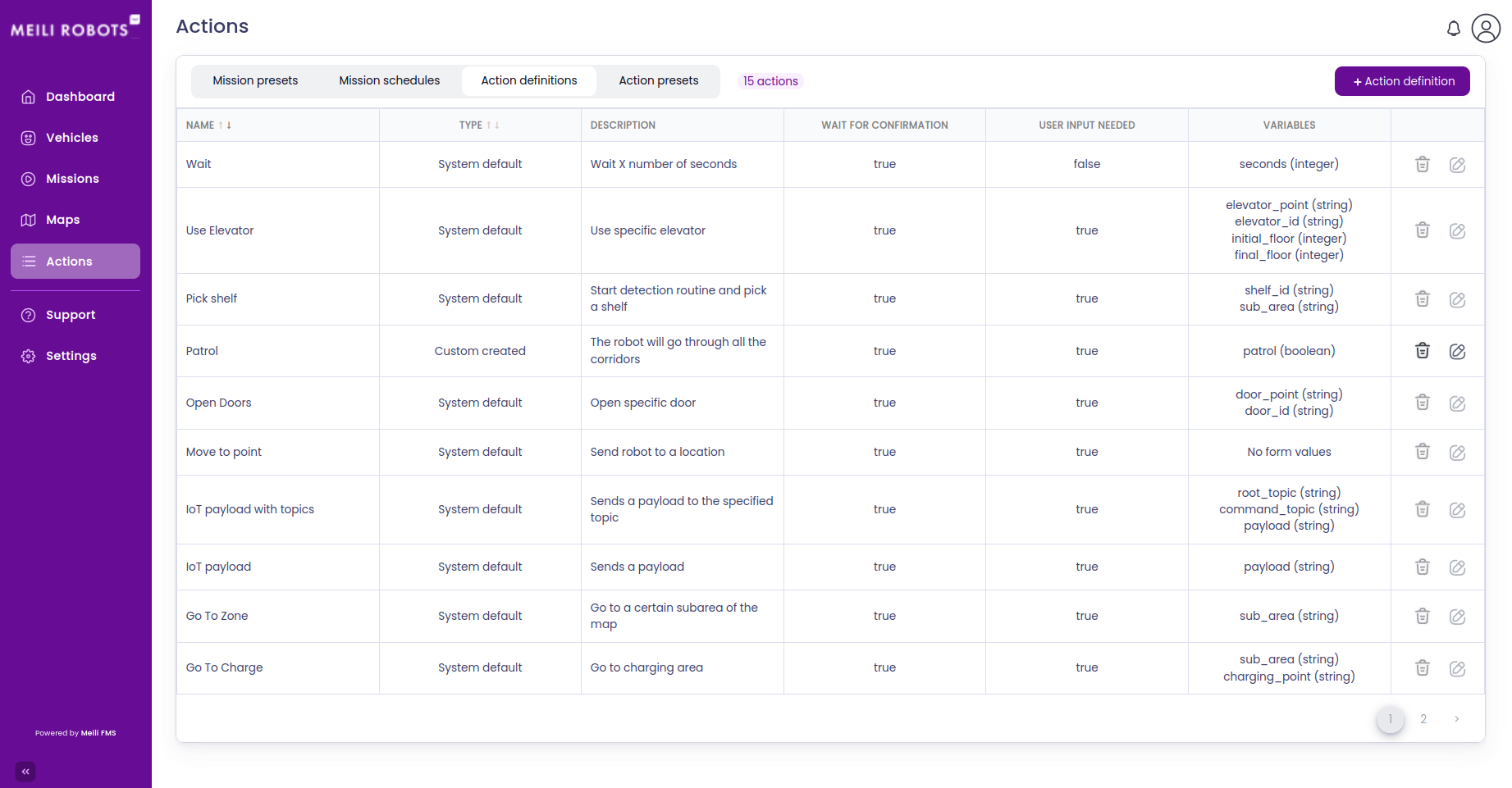
Each row shows the action’s Name, its Type, a Description and its Variables, the values you fill in when you add the action to a mission.
The Type is either:
- System default: actions that come with Meili, such as Move to point, Wait or Send email. They can’t be edited or deleted.
- Custom created: actions your team created, for example for a lift or a conveyor on your robot.
Create an action definition
- Click
+ Action definition. The New action definition dialog opens. - Fill the form:
- Action definition name: the name shown when you add the action to a mission, for example Lift pallet.
- Description: what the action does.
- Device: robot if a robot carries out the action, or iot if an IoT device does, such as a door or a light.
- Variable type and Variable name: a value the action needs, for example a
heightof type float. The types are boolean (true or false), float (a decimal number), integer (a whole number) and string (text). - Required: when checked, the value must be filled in whenever the action is added to a mission.
- To add more variables, click Add variable.
- Click
Save.
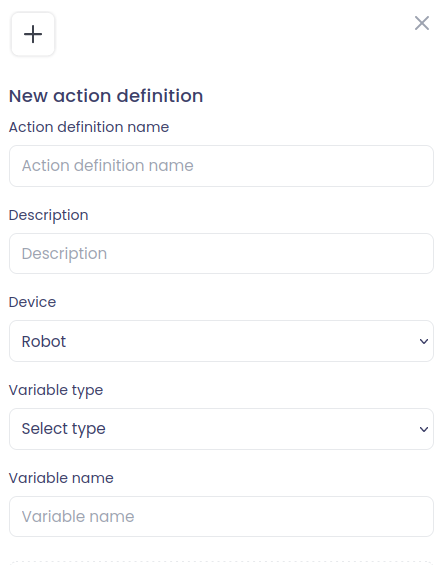
You fill in the values of the variables when you add the action to a mission, a mission preset or an action preset. The robot or device receives the action with these values, so it must be programmed to handle it.
Edit an action definition
Click the edit icon on the action’s row, change what you need and click Save. Only custom actions can be edited.
Delete an action definition
Click the bin icon on the action’s row and confirm. To delete several actions at once, select them with the checkboxes and click Delete selected. Only custom actions can be deleted.