Actions
The Actions page is where you prepare and look up the work your robots do. To open it, select Actions in the menu on the left, inside your team.
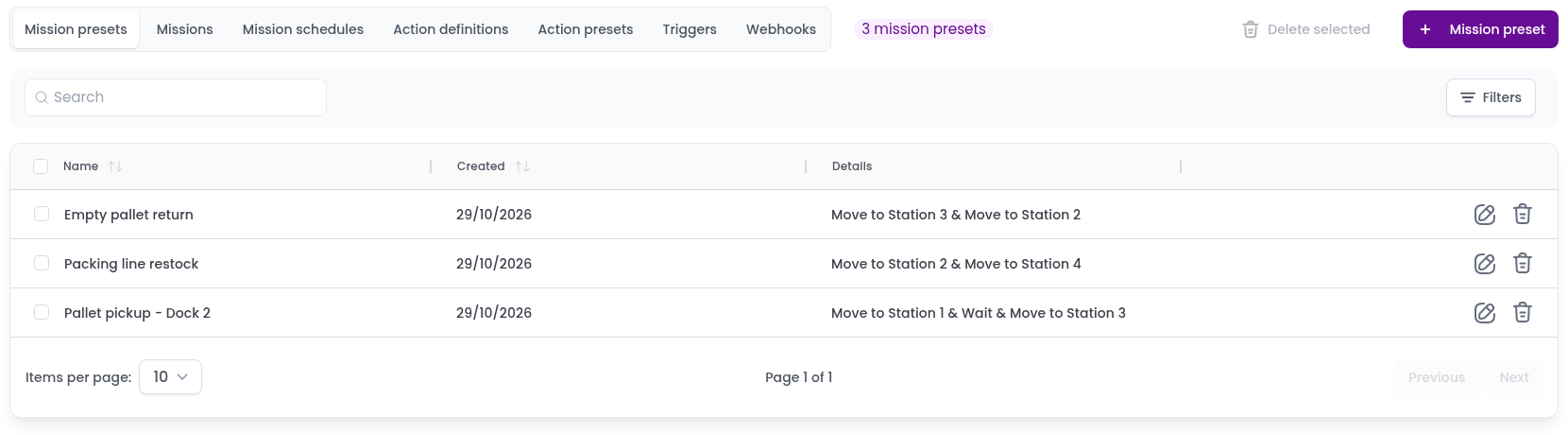
The page has one tab for each of the following:
- Mission presets: saved missions you can run again with one click.
- Missions: every mission that was created, with its status and log.
- Mission schedules: missions set to run later or on a repeating schedule.
- Action definitions: the actions robots and IoT devices can carry out.
- Action presets: actions saved with their settings, ready to add to missions.
- Triggers: web addresses that let buttons, sensors and other systems launch or confirm missions.
- Webhooks: messages Meili sends to your systems when something happens, such as a mission finishing.
Each tab shows a table that you can search, sort by clicking a column header, and page through at the bottom.
Mission presetsReusable sets of actions that can be sent to robots.
MissionsA table of all your team's missions, with their status, vehicle and history.
Mission schedulesSee when scheduled missions will run and what they contain.
Action definitionsCreate and manage the actions robots can execute.
Action presetsPreconfigure actions to speed up repetitive tasks.
TriggersLet buttons, sensors and external systems launch or confirm missions through a URL.
WebhooksUse webhooks to keep a WMS or ERP up to date with mission status.