Communication Channel Configuration #
For each device model, a communication channel should be created. Once created, some important configurations should be set up. This configuration can be accessed by clicking in the edit button on the channel setup that you want to configure, and in the pop-up window, click on the Channel tab.
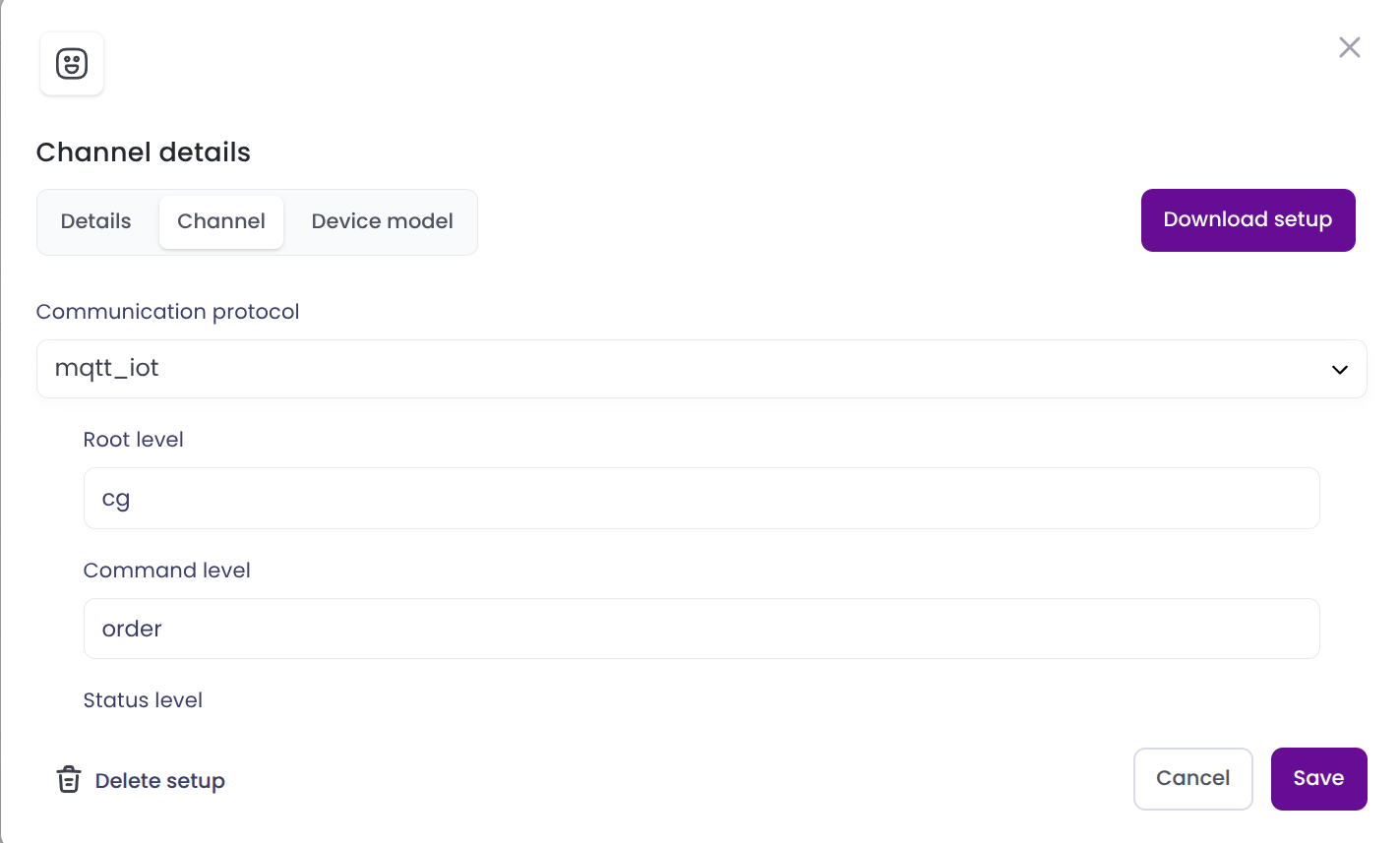
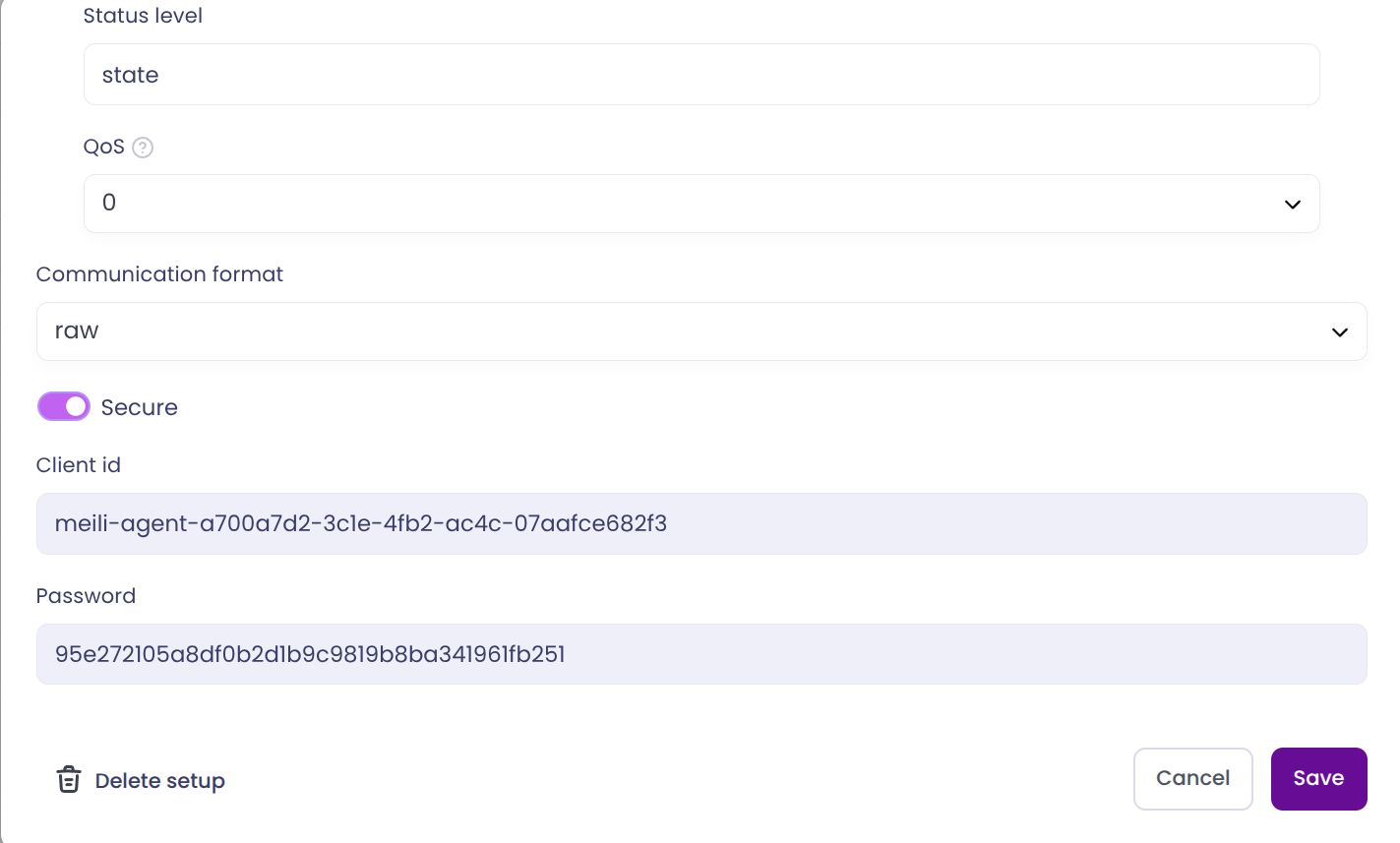
Here you can set up the following configurations and see some important information:
- Communication protocol: The communication protocol that the device will use to send messages to the FMS. The recommended protocol is MQTT.
- Root level: The root level of the MQTT topic that the device will use to send messages to the FMS. This field should be set to
meili/iotfor this scenario. - Command level: The command level of the MQTT topic that the device will use to send messages to the FMS. This will be added to the root level to form the complete topic.
- Status level: The status level of the MQTT topic that the device will use to send messages to the FMS. This will be added to the root level to form the complete topic.
- Device type: The type of device that will use this fleet setup. In this scenario, the device type should be set to
Iot.
- Root level: The root level of the MQTT topic that the device will use to send messages to the FMS. This field should be set to
- Client id: The client id that the device will use to connect to the MQTT broker. This field is not modifiable. The connected device must use this client id to connect to the broker.
- Communication format: The format that the device will use to send messages to the FMS. To the date of this document, the only available format is
raw. - Secure: This toggle should be enabled if the device will use a secure connection to send messages to the FMS.
- Password: The password that the device will use to connect to the MQTT broker. This field is not modifiable. The connected device must use this password to connect to the broker.